How to Create an Avatar for Spoken Dialogue Using Argil's Deepfake Maker
Clone your own AI avatar from a 2 minute video and create spoken dialogue videos with Argil's deepfake maker. See how it works, step by step.
We've just built the most complete FREE resource to use AI avatars in your business. We've centralized 50 use cases across 4 categories (Personal Branding, Marketing and Sales, Internal and Enterprise, and Educational and side-hustles). You can access it here NOW. Enjoy :)
How to Create an Avatar for Spoken Dialogue Using Argil's Deepfake Maker
Artificial intelligence has changed how we create and share digital content, and video is no exception.
Whether you're making a product how-to clip, an ad, or content for your socials, an avatar for spoken dialogue lets you deliver the message without going on camera or scheduling a recording session.
AI "deepfake" technology has a mixed reputation, but used well in professional video production it does the opposite of what the name implies. It creates room for more creativity, not less, and frees up time and budget that would otherwise go into filming.
It isn't a passing trend either. Businesses and content teams already use deepfake and avatar technology, powered by machine learning and natural language processing, to produce short form and long form content at a pace a camera crew can't match.
What is an AI Avatar and Why Are They Used?
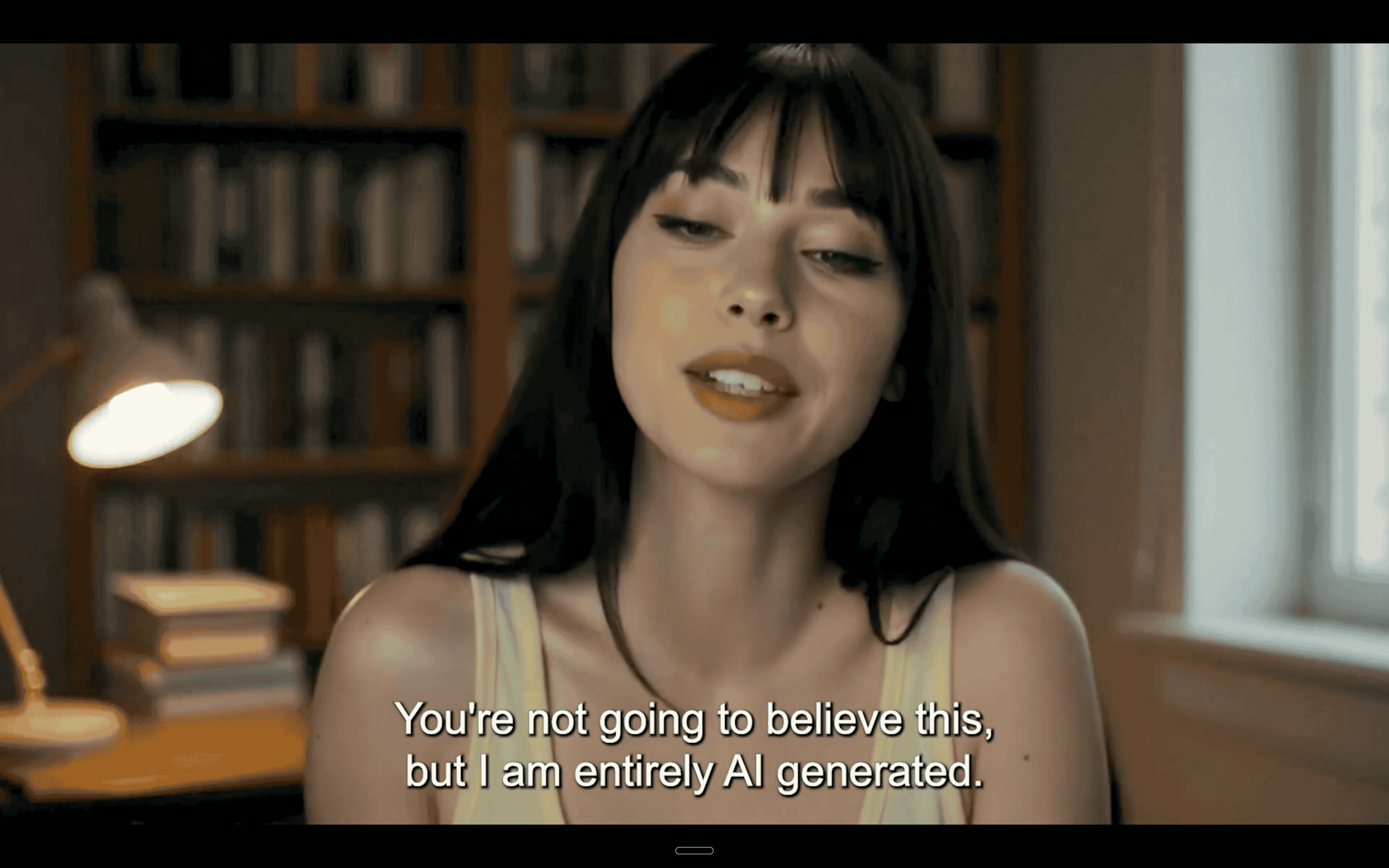
An avatar is a computer generated representation of a person, trained to imitate human motion, expression and speech.
Content creators, business leaders and influencers use avatars for spoken dialogue to scale video production without losing brand consistency or professionalism.
AI avatar platforms have matured fast over the past few years: the clones are trained directly on a person's own footage, so the result mimics how that specific person moves and speaks on camera, rather than a generic digital presenter.
These are some of the advantages of using an AI avatar to create videos:
No More Human Error
Speaking from a script without making mistakes can take a number of takes. Most content makers or business executives just don't have time for this. Using an AI avatar, you skip the need to record several takes. An AI avatar isn't prone to human error either, so you won't waste time on retakes.
A lot of people feel uncomfortable appearing on camera, too. A specially trained AI clone that looks and sounds like you removes that anxiety and frees up valuable time and team resources.
Create Content Faster
Since using avatars frees up so much time, creators can produce content much faster, giving them room to come up with ideas and generate new content without being bogged down by filming schedules.
Anyone who has had success on social media will tell you that consistency is key when posting to your audience. Using AI to generate videos gives you time back to plan and manage your content schedule, and makes it easier to keep posting regularly.
Stay On Brand
Human error isn't great for brand consistency. It also takes time to make sure every element of your content is on message and relevant to your company or creator image.
With the right AI tools, you can adjust your speaking tone, branded elements and messaging all in one place. An AI avatar can be customized to your liking too, so you can make sure it looks and sounds like you or another member of your team. For a deeper look at keeping an avatar recognizably "you" across a content calendar, see our guide on how to brand an avatar that actually builds an audience.
Good editing tools also let you add customized touches to your video, like colors and logos, in the editing stage, and it takes minutes, not hours.
Make Multilingual Content
Using an AI avatar is a great option if you want to expand your reach worldwide or run several channels for different regions. With the right platform, scripts can be generated in different languages so you can reach new and diverse audiences around the world, with your avatar's voice and delivery adapting to match.
The Challenges of AI in Video Content
The benefits of using avatars for spoken dialogue are plentiful, but as with any new technology, this opportunity comes with challenges.
The real challenge isn't the avatars themselves (they simplify video creation), it's writing great scripts and getting the post production editing right. With the proper tools, these challenges are relatively easy to solve.
Avatar Personality Development Using a Deepfake Maker
How to Create a Realistic Avatar for Spoken Dialogue
With Argil, you can give your avatar for spoken dialogue consistent personality traits and reuse them across every video.
For example, you might build a professional, authoritative avatar for LinkedIn marketing, a friendlier and more casual avatar for Instagram and YouTube, and a humorous avatar for TikTok. You can run different avatars for different audiences without losing their core identifiable traits.
On Argil's platform, you can also lean on consistency markers like recurring phrases and speech patterns to reinforce your brand and build familiarity and trust with your audience.
Good lip sync is what makes or breaks this illusion. Argil's avatars are built to mirror human expressions, mouth movement and speech patterns closely, so the result doesn't come across as robotic. If you want the technical detail on how that matching actually works, see our breakdown of AI lip sync.
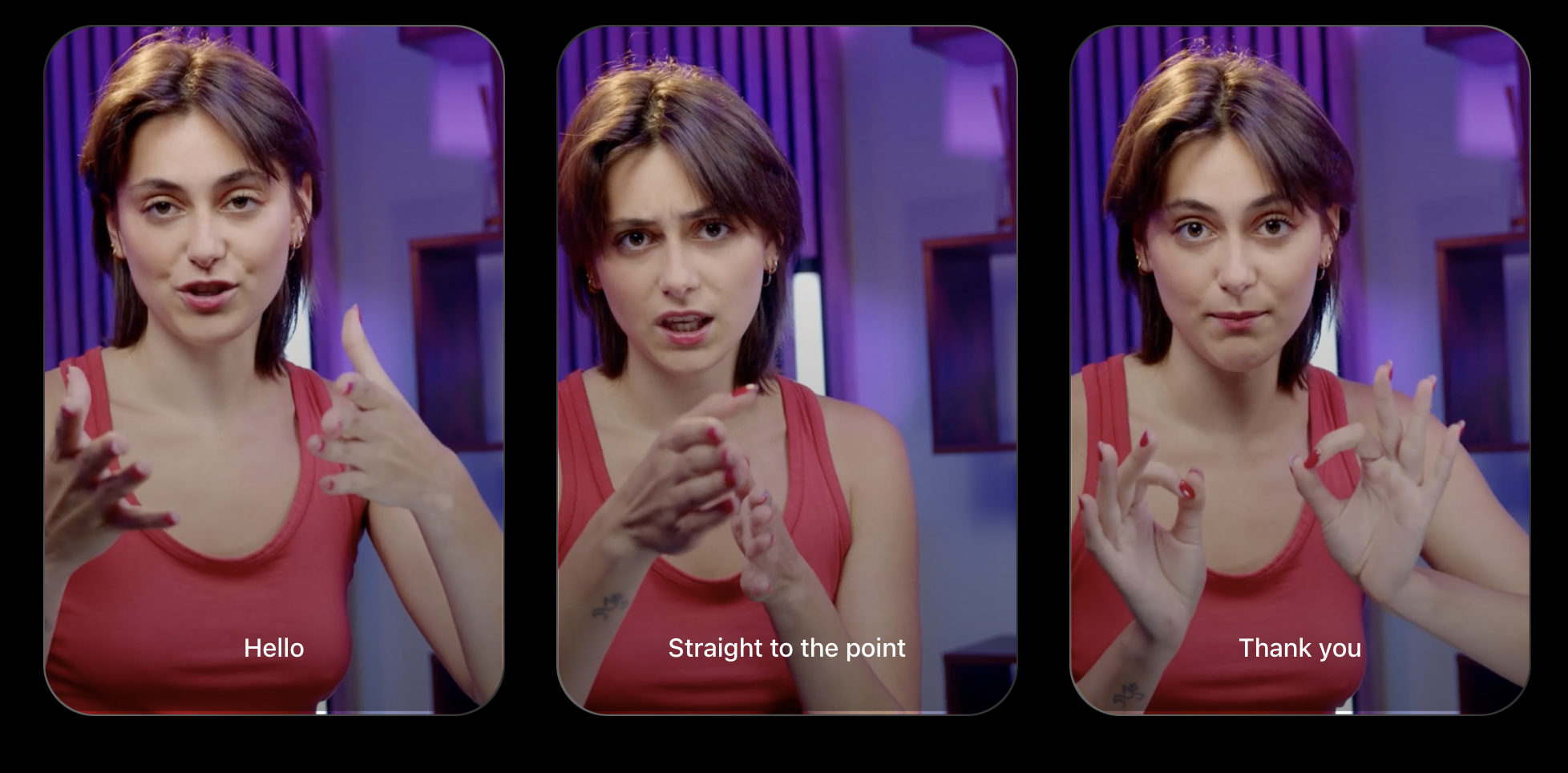
Argil also gives you voice modulation and tone adjustments when editing your videos, so delivery stays natural. You can edit gestures, facial expressions and pacing until you're happy your avatar is a true reflection of your brand.
Tips for Maintaining Your Brand Across Multiple Videos
Establishing a recognizable speaking style and delivery is what lets you maintain your branding across multiple videos. Argil's avatar for spoken dialogue makes this straightforward.
Once the AI learns your unique style and voice, it keeps language consistent across all of your content while suggesting edits that align with your brand. Using the drag and drop editing suite, you can customize the appearance, expressions and gestures of your avatars for different content types while still keeping your core brand style.
You should still oversee the videos yourself. AI video generators help you balance creativity and brand consistency, but you may want to tweak your avatar's appearance or delivery, or add personalized dialogue to your script, before publishing.
Tips for Scripting Natural Spoken Dialogue
Every platform has its own best practices for writing an engaging video script. In general, write in a conversational, human tone and avoid robotic phrasing. Contractions, natural pauses and everyday words all help with that.
When scripting your avatar for spoken dialogue, vary your sentence lengths so the dialogue feels more natural, and build in emotional cues and gestures for stronger engagement.
It's worth testing a few different video variations with your audience to see which scripts perform best. Because an avatar video renders in minutes rather than requiring a full reshoot, trying a second or third version of a script costs you a little time, not another filming day.
Argil's Deepfake Maker: What Differentiates Us?
Everything in One Platform
Numerous other deepfake makers exist on the market, but Argil handles all content creation and editing in one place. Users can create realistic AI avatars for short form or long content, generate scripts and edit videos in the same platform, or drive the whole thing through Argil's API.
Easily Generate AI Scripts
You no longer have to spend hours writing video scripts or sitting at your laptop editing videos. With Argil's deepfake video maker, you can turn a prompt or a brief into an editable script and scene breakdown in minutes, then edit the video using the same platform.
Realistic Clones
One of the biggest concerns we hear about AI clones is that people will be able to tell they're not real. Argil's avatars are built from your own footage and trained specifically to mirror your expressions, motion and speech patterns, so the result doesn't come across as robotic.
Simple to Use
Argil's platform is simple to use, even for beginners. Record yourself speaking for a couple of minutes (Argil's training guide asks for 2 minutes minimum), upload it, and the platform masters your speech and mannerisms to build a digital clone that talks and acts like you. You can then produce and edit scripts for your avatar and test them out to see which sounds best.
Dual Avatars
You can also create 2 avatars for realistic conversational speech. Argil can place them in split screen layouts, or let them share a scene and respond to one another, which is useful for interviews, discussions or other conversational, interactive content.
Both avatars are fully customizable, so you can adjust their facial expressions, languages, tones and voices to match the people they're based on.
AI Editing Suite
Argil also handles the tricky post production work: AI captions in any language, B-roll, music and your own uploaded brand assets, all inside the same editor.
Video editing used to take several hours. Now it takes minutes.
Test What Resonates
Because generating a new avatar video takes minutes rather than a reshoot, it's easy to produce a few script variations and see which one actually lands with your audience before you commit a whole posting calendar to one angle.
Argil vs Competing Avatar and Deepfake Maker Solutions
Unlike other AI deepfake makers and video solutions, Argil is built specifically for content creators and is optimized for short form video platforms like TikTok and YouTube Shorts.
Here's how our avatar for spoken dialogue technology compares to other popular AI tools on the market.
Expressiveness and Customization
Argil provides highly realistic and customizable AI avatars for spoken dialogue. Other deepfake makers like HeyGen offer less control over gestures and expressions by comparison, while Synthesia's library leans toward AI presenters for corporate video and training rather than creator style clones.
HeyGen and Synthesia can do the job for internal comms or training videos, but they're less suited to the level of customization and flexibility that content creators, marketers and other high spec applications tend to need.
Editing Capabilities
HeyGen offers solid editing features, but the interface still has a learning curve, especially for beginners.
Synthesia offers a range of editing tools and templates, with more limited customization on its lower pricing tiers.
Argil, on the other hand, bundles a full suite of editing tools, including scripting assistance, captions in any language and AI B-roll.
Argil's interface is also user friendly and drag and drop, so you can generate, edit and publish a video without switching tools.
Pricing and Value
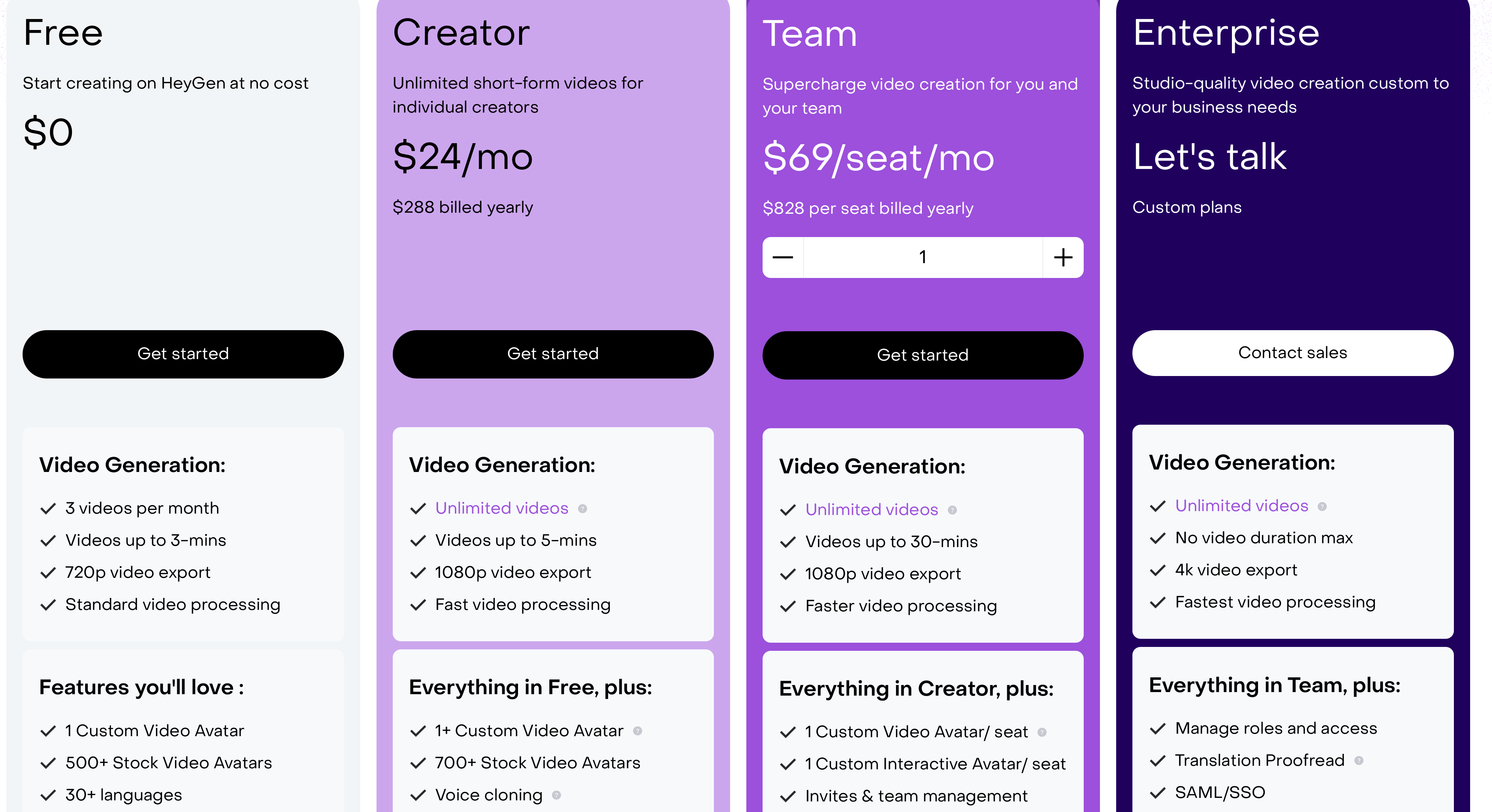
HeyGen's Creator plan runs $29 a month, with Pro at $49 and Business at $149 a month plus $20 for each extra seat. Pricing structures shift over time, screenshots like the one below age fast, so always confirm current numbers on the provider's own pricing page.
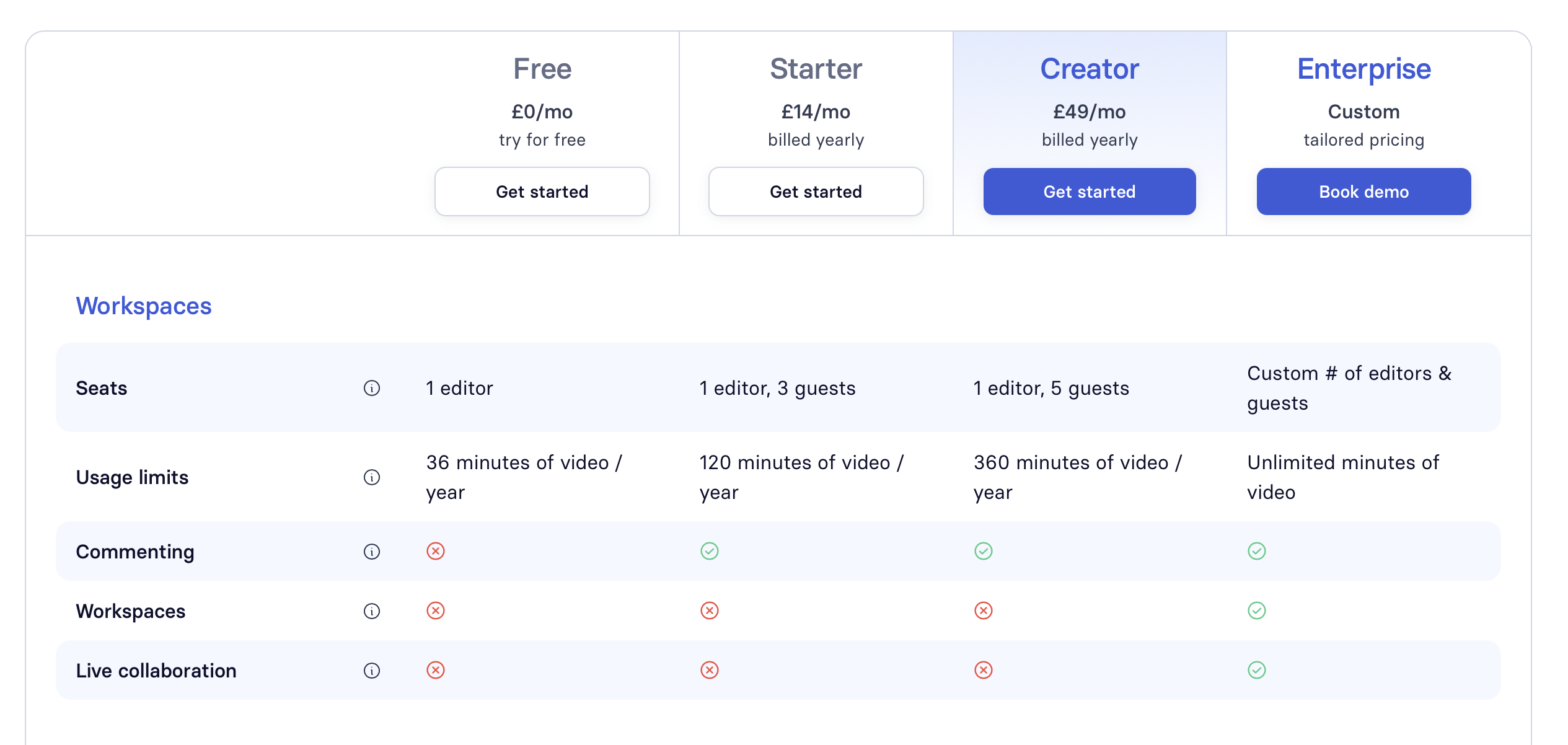
Synthesia sits in a similar range, with a Starter plan at $29 a month and a Pro plan at $89 a month, both cheaper on annual billing.
Argil now runs on a credit based system. The plans are Pro, Business and Enterprise, and on each one you choose the monthly credit allowance that matches your volume. Business adds a team workspace on top of everything in Pro, Enterprise is priced on volume for larger orgs, and yearly billing comes with two months free. Credits are spent when you generate, and how many depends on the model and what you make, so you pay for what you actually produce rather than a flat seat price. Check the live numbers on Argil's pricing page before you budget.
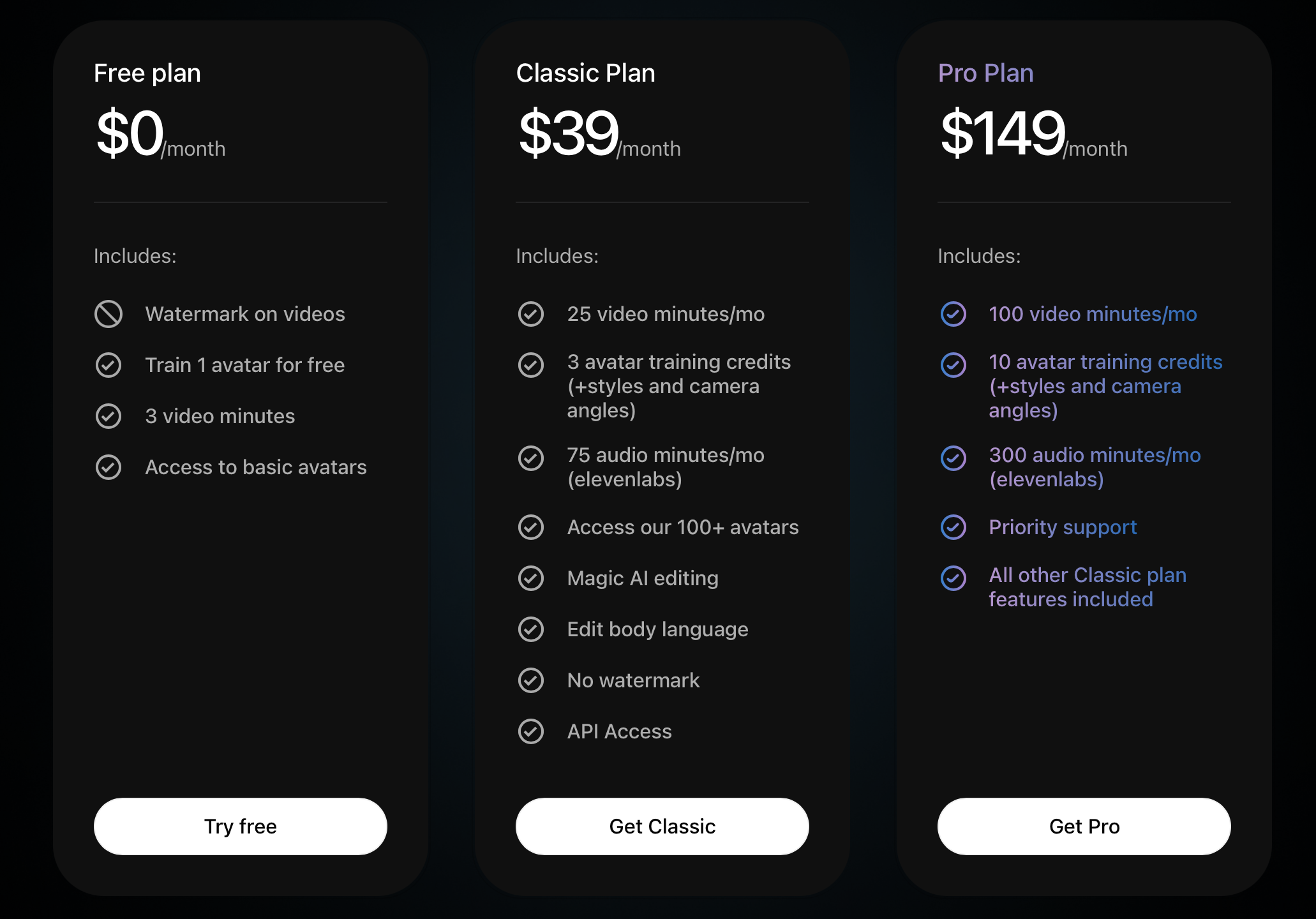
HeyGen and Synthesia both sell fixed monthly tiers, with HeyGen charging $20 for every extra seat on Business. Argil's credit tiers let you size the plan to how much you actually generate, which suits creators and small teams who post often but don't need a big seat count. For a fuller, regularly updated breakdown, see how leading AI avatar services compare on pricing.
Industry Specific Avatar for Spoken Dialogue Applications
Content Creation
Content creators can use an AI avatar for spoken dialogue to scale and repurpose content such as tweets, blog posts, podcasts or articles.
Using Argil's text to video feature, paste in the link of an article, pick a social or a longer format, and the platform writes the script for you and pulls in the images and clips already in the post.
With Argil, content creators can automate video creation for daily, consistent posting on platforms like TikTok, Instagram and YouTube Shorts, which helps you build an audience and keep engagement up.
Argil's own documentation lists better SEO rankings among the reasons to turn an article into a video, since the video becomes another asset you can embed on a page you have already published.
Finance
Finance professionals can use a deepfake maker like Argil to condense complex concepts like investments, crypto or tax law into bite sized videos and share them with clients.
Behind the scenes, AI video generators can also break down financial reports into digestible segments, create engaging animated financial analysis and make regulatory compliance content for employees far more accessible.
Tech
AI video generators are ideal for product demos and internal comms in the tech world. You can use a tool like Argil to convert user FAQs into video responses using AI avatars, or share product update announcements in video form. These videos can be made in multiple languages and dialects to help you connect with a global audience.
You can also automate training and educational videos to better communicate complex technical information to your team, or help clients and customers with simple onboarding videos.
Education
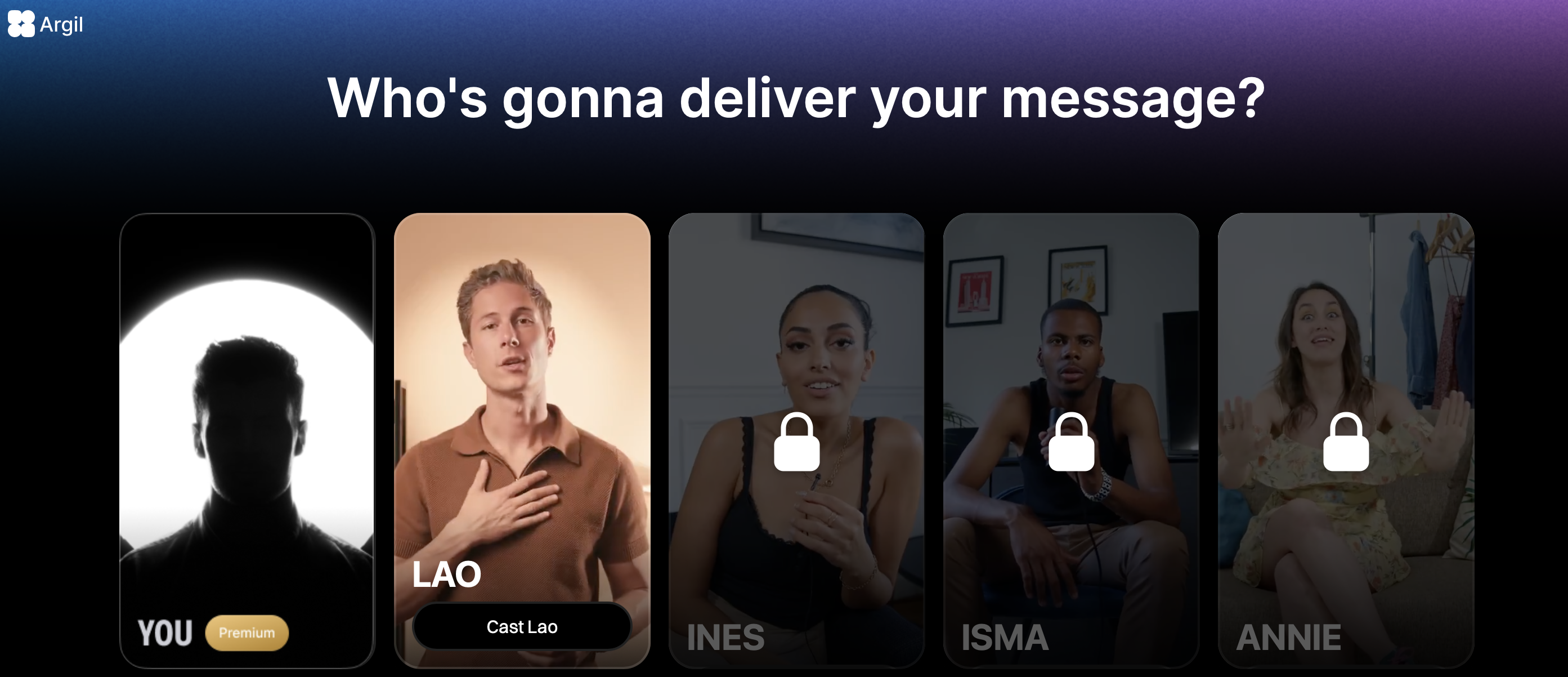
Complex course or training material gets a lot easier to sit through as video. Using an AI deepfake maker like Argil, you can clone yourself or a member of your team, or choose from the library of specialist avatars, to deliver your material in a way that maximizes engagement and retention.
You can even generate personalized learning paths with AI avatar tutors to reduce teacher or instructor workload.
Marketing
If you're a marketing professional, Argil helps you create hyper personalized ads and content for different audience segments. You can also test different scripts and variations for higher conversions, without a huge investment of time or resources.
Using Argil's AI deepfake maker, you can automate influencer style UGC video content for brands without the cost of hiring actors or influencers. You can also skip outsourcing voiceovers or video editing, since you can do everything in one place.
Can Anyone Use Avatars in Video Content?
We've already covered how content creators and business leaders use AI avatars to produce and edit videos, but just about anyone can benefit from this technology if they want to create high quality visual content.
Schools and other educational facilities can use avatars to produce e-learning videos without using up precious staff time and resources. The same goes for healthcare and hospitality, or any setting where training staff with accurate, easy to digest information matters.
Avatars can also explain products, carry marketing content, or power custom interactive experiences. The use cases keep expanding as the technology improves.
If you want to try an avatar for spoken dialogue for yourself, create an account and test Argil's Deepfake Maker. It's built to be easy even for beginners, and it can change how you approach content creation from here on.